Signing in
- Tap [Sign in] (a) or [Sign in] (b) to display the Sign in screen.
* If you have a wireless router, tap [Sign in] (a).
* If you do not have a wireless router, tap [Sign in] (b).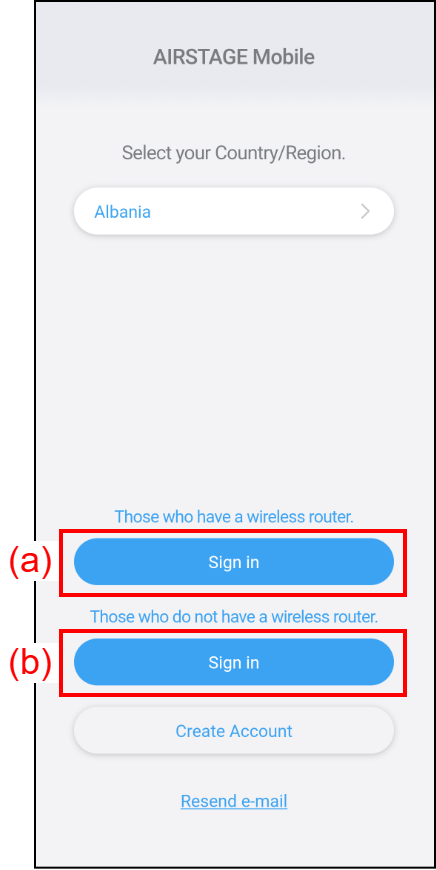
- Sign in with the e-mail address (c) and password (d) you have registered.
If you have an access point, tap (e) to sign in to this app.
If you do not have an access point, use the Direct Control. Refer to "DIRECT CONTROL" for details.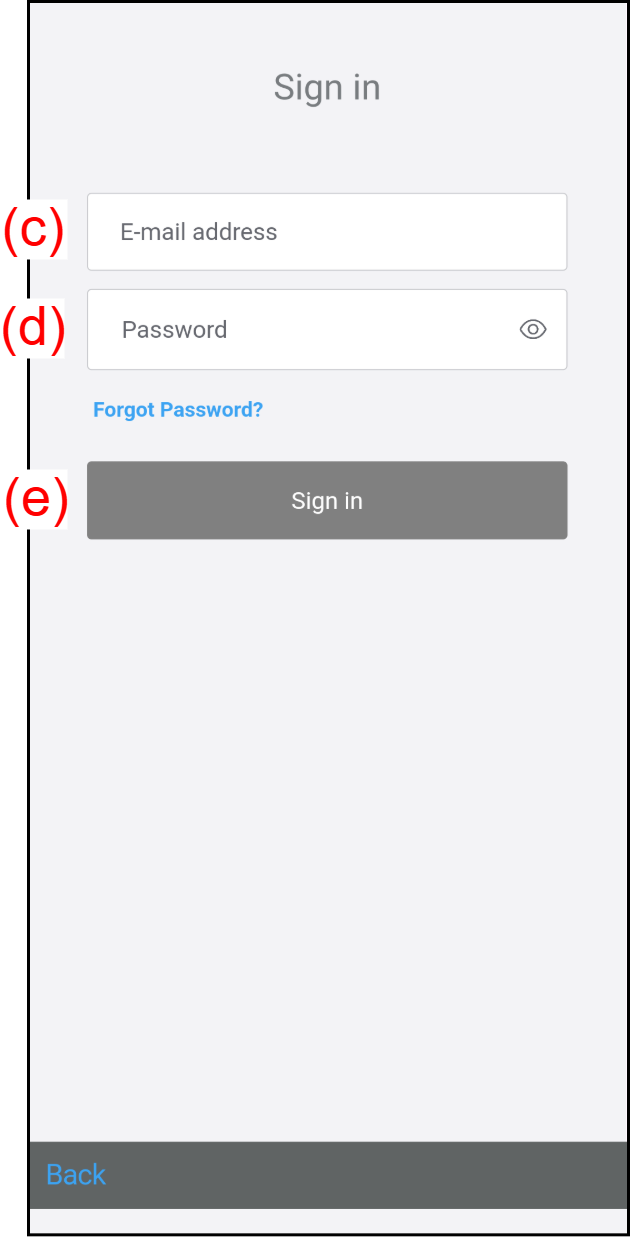
If you forgot your password, refer to "When you forget your password".