INITIAL SETTING
Tap the [Settings] button (a) to open the initial setting screen.
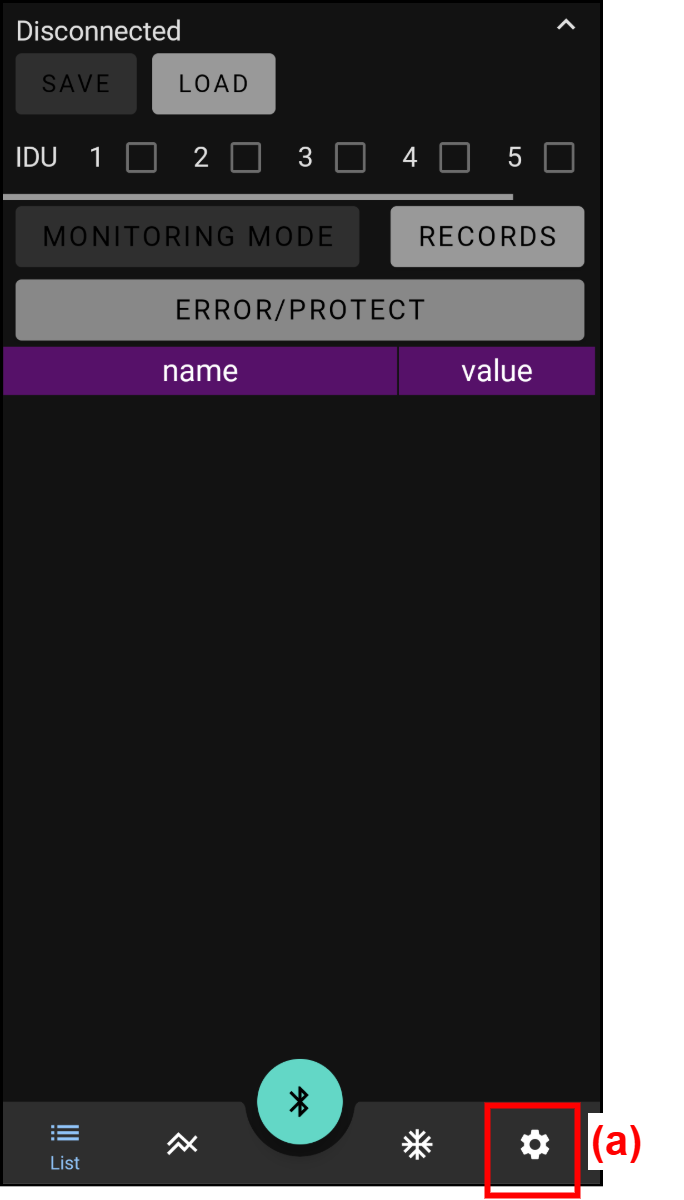
The following settings can be changed or checked.
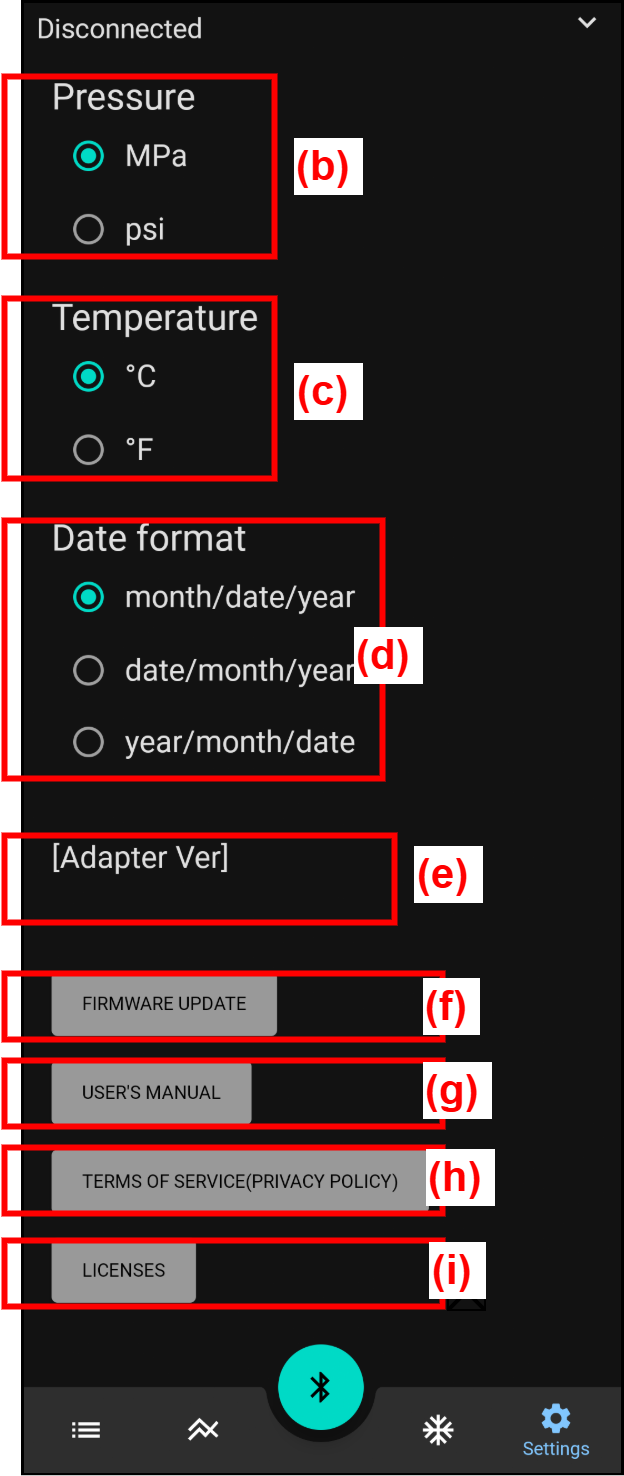
| (b) | Pressure (Unit) | "MPa" or "psi" can be selected. |
| (c) | Temperature (Unit) | “°C” or “°F” can be selected. |
| (d) | Date format (Type) | One of the followings can be selected. ・month / date / year (USA) ・date / month / year (UK) ・year / month / date (Asia) |
| (e) | Adapter Ver (Adapter version) | When BLE adapter is connected, BLE adapter version is displayed. |
| (f) | FIRMWARE UPDATE (Firmware update) | Firmware of BLE adapter is updated. Tap and operate according to the instructions displayed in this app. |
| (g) | USER'S MANUAL (user's manual) | When tapped, user's manual of this app is displayed. |
| (h) | TERMS OF SERVICE (PRIVACY POLICY) | When tapped, Terms of Service and Privacy Policy are displayed. |
| (i) | LICENSES (License descriptions) | When tapped, a list of license descriptions related to OSS used in the creation of this app is displayed. |