Paring of mobile device and BLE adapter
Pair the BLE adapter with a mobile device that has this app installed.
- Start this app.
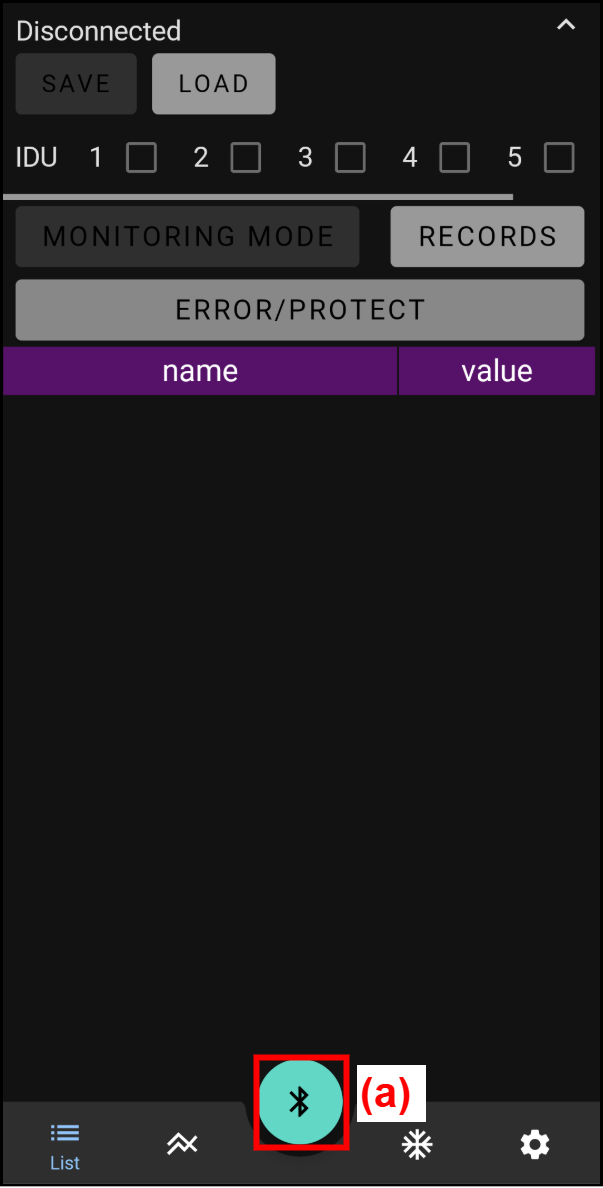
- Tap the Bluetooth connection button (a).
- Permit the use of location information and device detection, etc.
* The app cannot be used without permission.
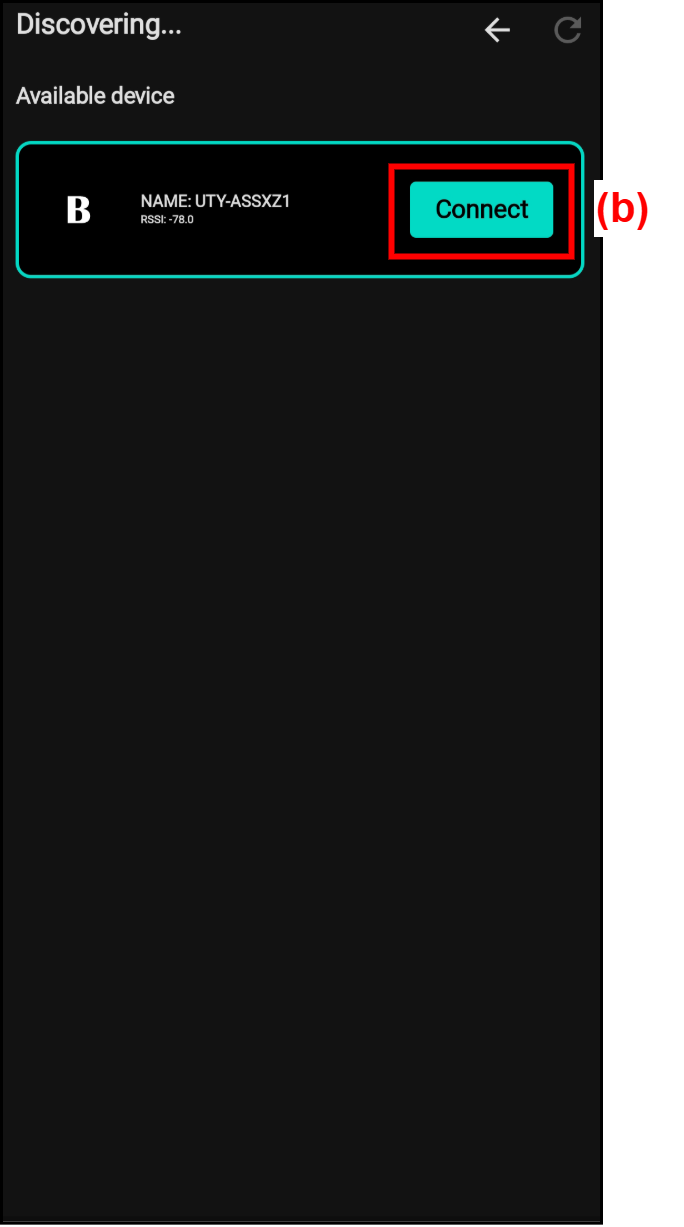
* If the permission has already been granted, this step is not necessary. - The connectable devices are displayed. Tap "Connect (connect)" in the target device (UTY-ASSXZ*) (b).
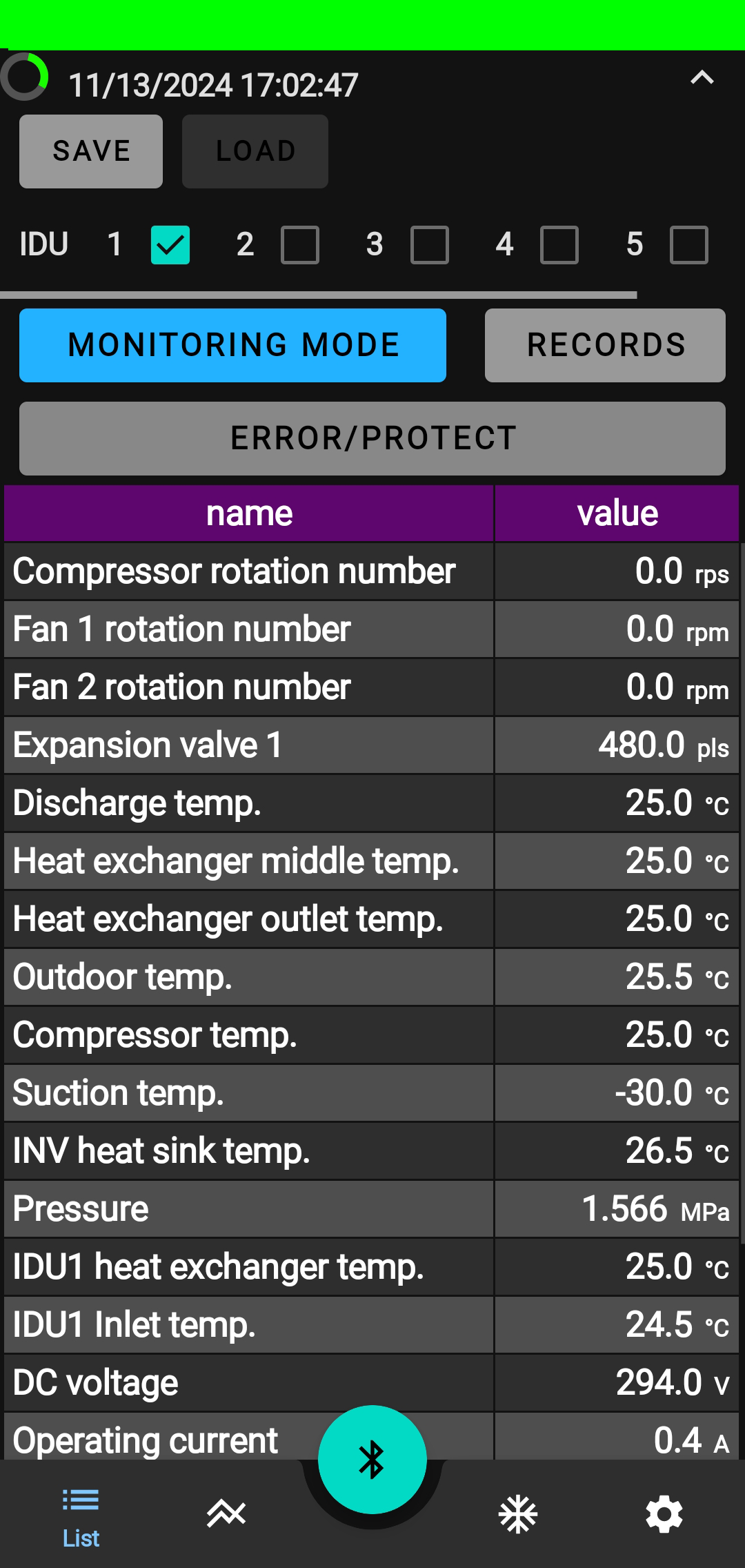
- When the connection is complete, the display switches to the "List" screen. The LED lamp
 on the BLE adapter switches from blinking to lighting.