Chart display
Maximum three charts can be displayed. Scaling and left/right movement of the time axis can also be performed.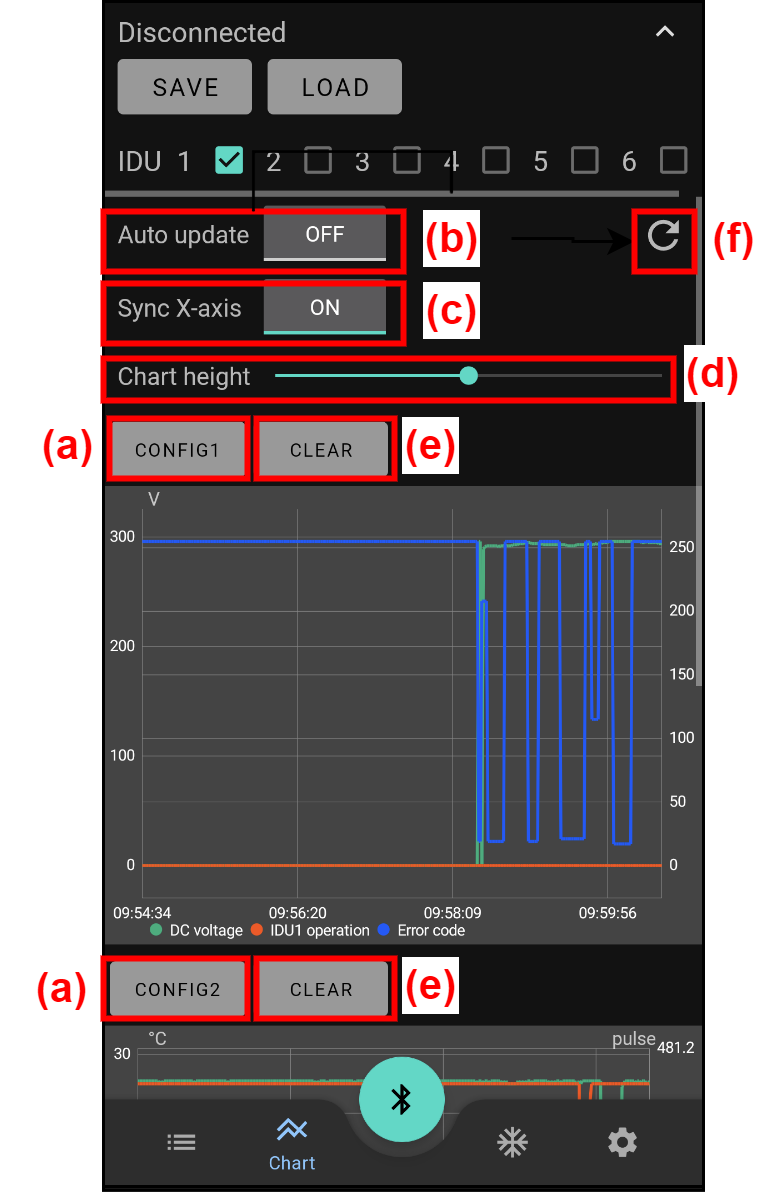
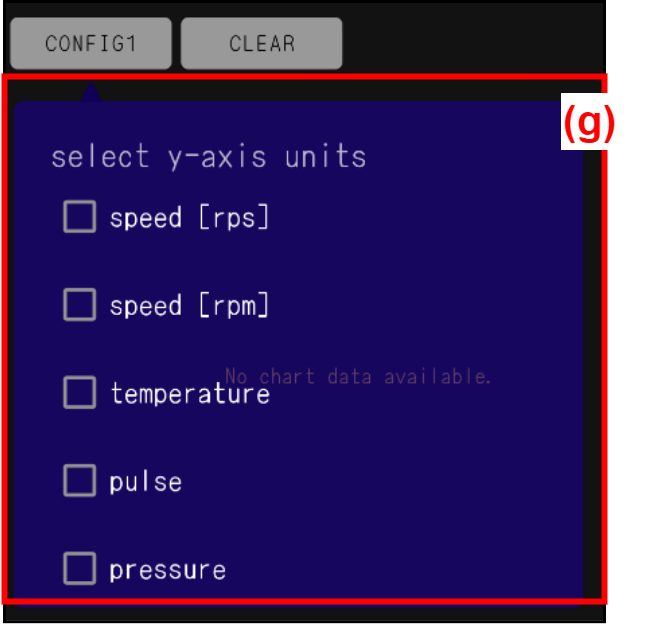
| (a) | [CONFIG] button | Select the target to be displayed from (g). Up to two units can be set per chart. |
| (b) | [Auto update] button | ON: The chart is automatically updated. It always displays the latest 10 minutes of data. OFF: The chart is not automatically updated, but all data acquired so far can be displayed. |
| (c) | [Sync X-axis (synchronization X-axis)] button | ON: When one chart is operated (scaling and left/right movement of the time axis), other charts move with it. OFF: Even if one chart is operated, other charts do not move with it. |
| (d) | [Chart height] slide bar | Chart height can be changed. |
| (e) | [CLEAR] button | When tapped, the settings of “CONFIG” button are initialized. |
| (f) | Chart manual update button | When tapped while “Auto update” button is OFF, the chart is updated. |